Automate Your Admin and Get Your Evenings Back
How to Save Time in Your Children's Activity Business: Systems, Automation and AI
Running a children's activity business means juggling multiple responsibilities, from marketing and managing enquiries to processing payments, organising bookings and delivering classes. With so much happening behind the scenes, it's easy for business owners to feel like there simply aren't enough hours in the day.
But what if the problem isn't actually a lack of time?
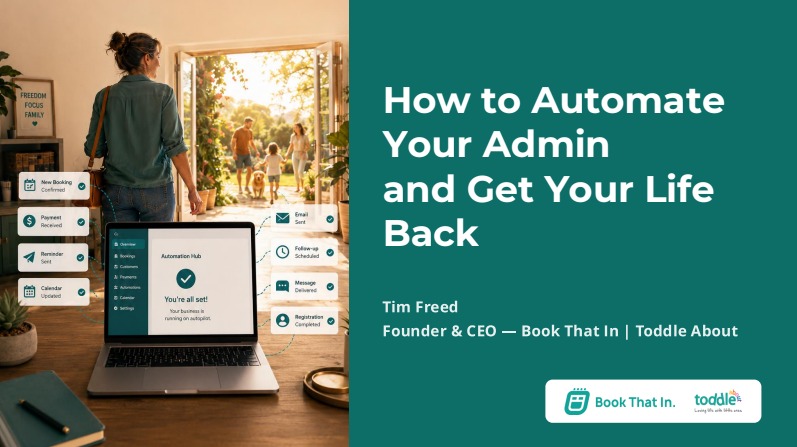
In a recent ICAP webinar, Tim Freed, founder of Toddle About and co-founder and CEO of Book That In, explored how the right systems, processes and automation can help children's activity providers work more efficiently. By streamlining everyday operations and reducing repetitive administration, business owners can free up valuable time to focus on what matters most: delivering great experiences for children and families.
Here are some practical ways to improve your business systems, streamline daily operations and make better use of automation.
1. It's Not About Having More Time – It's About Using It Better
Not having enough time is often a sign of ineffective systems and processes. By streamlining repetitive tasks and establishing clear workflows, businesses can reduce admin, improve efficiency and free up more time for growth and delivering great experiences for children and families.
2. Build Systems Before You Delegate
As a business grows, managing everything independently becomes increasingly challenging. Bringing new team members on board can help ease the workload, but without clear processes in place, delegating tasks can create confusion and inconsistency.
Documenting your systems ensures everyone understands what needs to be done and how to do it, making training easier, improving efficiency and reducing the need for constant supervision.
Effective delegation isn't simply about passing tasks to others; it's about building a business that can operate smoothly without relying on one person to manage everything.
3. Think Beyond Delegating to People – Start Automating
Automation helps reduce repetitive administration by allowing technology to handle routine tasks consistently.
Rather than replacing people, it frees up your team to focus on what matters most: supporting customers, delivering great classes and creating better experiences for children and families.
4. Understand the Four Key Areas of Your Business
Every business operates around four key areas: marketing, sales, finance and fulfilment.
Marketing attracts potential customers, sales turns enquiries into bookings, finance manages payments and invoicing, and fulfilment focuses on delivering the services customers have purchased.
These areas are closely connected, but relying too heavily on manual processes can lead to missed enquiries, forgotten follow-ups, late payments and reduced customer retention.
Identifying these gaps and establishing clear processes can help your business run more smoothly, prevent missed opportunities and highlight where automation can make the biggest difference.
5. Make the Most of Your CRM Through Automation
A Customer Relationship Management (CRM) system can help manage customer information, streamline communication and automate everyday tasks.
When used effectively, it allows businesses to guide potential and existing customers through their journey, from initial enquiry to booking and beyond, with less manual administration.
Here are some practical ways children's activity providers can use CRM automation to save time and improve customer engagement.
Automate your lead generation and competitions
Running a competition or offering a free resource can be an effective way to attract new families to your business.
With a CRM, you can automate what happens after someone enters their details.
For example, when someone enters a competition, they could automatically receive a confirmation message, followed by updates about the competition results.
Even if they don't win, you could direct them to a special offer, introductory deal or trial booking.
This helps keep potential customers engaged and creates another opportunity to turn an initial enquiry into a booking.
Improve trial-to-booking conversions
Trial sessions are an important opportunity to introduce families to your activities and encourage them to become regular customers.
However, following up with every family manually can be time-consuming, particularly when you're managing multiple classes and enquiries.
With a CRM, you can set up a sequence that runs automatically for every trial booking, such as:
- A welcome email when someone books a trial.
- A reminder 48 hours before the session to encourage attendance.
- A personalised follow-up message after the trial, asking whether the child enjoyed the experience.
- A series of reminders and useful information encouraging the family to book a full block of sessions.
Once someone makes a full booking, they can automatically be removed from the follow-up sequence.
This means fewer missed opportunities, more consistent communication and less administration for your team.
Simplify invoicing and financial administration
Automation can also help reduce repetitive finance tasks.
For example, when a booking is received, the relevant information could automatically be transferred into a Google Sheet or accounting platform such as Xero or FreeAgent.
An invoice could then be generated, with payment records updated as transactions are completed.
By connecting these systems, businesses can reduce manual data entry and make it easier to keep financial information organised.
Turn Social Media Engagement into Enquiries
Social media can do more than generate likes and comments.
With automation, businesses can turn interactions into potential bookings.
For example, when a parent comments on a post expressing interest in your classes, they can automatically receive a reply and a direct message with a link to find out more or claim a special offer.
This creates a smoother journey from initial interest to booking, while reducing the need for manual follow-ups.
6. Understand the Potential of AI and Agentic AI
Artificial Intelligence (AI) is creating new opportunities for businesses to save time and simplify everyday tasks.
Beyond generating content and answering questions, Agentic AI can take things further by carrying out tasks and automating processes on your behalf.
These capabilities are becoming increasingly accessible to smaller businesses, making it easier to achieve more without needing a large team.
However, the key is to use AI thoughtfully rather than relying on it to produce generic content.
Your experience, values and approach to working with children and families are what make your business unique.
AI should enhance your knowledge, creativity and expertise, helping you do more while keeping your business's personality and individuality at the heart of everything you create.
7. Five Ways AI Can Support Your Business
AI can support business owners in several ways, helping save time, improve efficiency and make everyday tasks easier.
1. Writing: Create first drafts of emails, social media posts, blogs and marketing materials, helping turn ideas into content more quickly.
2. Responding: Assist with email replies and customer enquiries, making communication easier to manage.
3. Planning: Organise events, prepare for new terms and develop marketing plans by breaking larger tasks into manageable steps.
4. Supporting your thinking: Use AI as a thinking partner to explore ideas, ask useful questions and develop plans, while keeping your own experience and judgement at the centre of decision-making.
5. Analysing information: Review business data, identify trends and highlight areas for improvement. For example, AI can help analyse social media performance to understand which content works best and where marketing efforts could be improved.
Beyond these capabilities, AI can also take on tasks and automate processes, making it an increasingly valuable tool for managing business operations.
8. Use AI Responsibly: Protect Your Data and Consider Its Environmental Impact
While AI offers many benefits, it's important to consider how it is used, particularly when it comes to data privacy and environmental impact.
Be mindful of your environmental impact
AI tools rely on data centres that consume electricity and water. As AI becomes more widely used, the demand for these resources continues to grow.
Rather than using AI for every task, consider where it can genuinely benefit your business.
Being mindful of unnecessary usage and focusing on tasks that provide real value can help you make better use of the technology while considering its wider environmental impact.
Protect Customer and Children's Information
Data privacy is especially important for children's activity providers who handle sensitive information about children and their families.
Avoid sharing personal details such as dates of birth, medical information or allergies with AI tools.
Where possible, anonymise information and only share what is necessary.
It's also important to review your AI platform's privacy settings and understand how your data may be used.
Taking these precautions helps protect your customers' information while allowing you to use AI responsibly.
9. Give AI the Right Context to Get Better Results
AI works best when it understands your business.
Giving it basic instructions without explaining your audience, values or tone of voice can lead to generic content that lacks personality and originality.
To get better results, provide AI with the same context you would give a new team member, helping it understand your business and how you communicate.
Try the 10-70-20 Approach
A useful way to work with AI is to follow the 10-70-20 approach:
- 10% – Your input: Provide clear prompts, instructions and relevant background information.
- 70% – AI's contribution: Let AI handle the bulk of the initial work.
- 20% – Your refinement: Review, edit and personalise the result so it reflects your business and sounds like you.
The key is to let AI do the grunt work without letting it replace you.
Used well, it doesn't water down what makes your business yours; it amplifies it.
Your knowledge, experience and judgement go in at the start and shape the result at the end, while AI does the heavy lifting in between.
The result is more of you out there, not less.
10. Create an AI Project That Understands Your Business
For more consistent and relevant results, consider setting up a dedicated project in ChatGPT.
Think of it as a digital folder containing the information AI needs to understand your business. This means you won't have to explain your business, audience and preferences every time you start a new conversation.
Here are five key areas to include:
1. Your Business Information
Explain what your business does, where it operates, who your customers are, what services or activities you offer and your pricing structure.
2. Your Mission and Values
Share what your business stands for, what matters to you and the principles that guide the way you work.
For children's activity providers, this might include your approach to children, families, learning and development, all of which help shape your brand identity.
3. Your Goals
Outline what you're working towards, whether that's increasing enrolments, improving customer retention, expanding your team or introducing new activities.
Include both short-term objectives and longer-term ambitions.
4. Your Communication Style
Provide examples of your emails, social media posts, blogs and other content that reflect your preferred tone of voice.
This helps AI understand how you communicate with parents and customers, making its suggestions and first drafts more relevant to your brand.
5. Examples of What Good Looks Like
Share examples of content you consider successful and explain why you like them.
Is it the tone, structure, messaging or the way the content connects with your audience?
This additional context helps AI understand the quality and style you're aiming for.
It's also important to set clear instructions, or 'guardrails', for your AI project.
For example, ask it not to invent statistics or testimonials, to flag when it is unsure about something, to ask questions rather than make assumptions and to follow your preferred writing style.
Finally, keep your project up to date.
As your business evolves, your services, goals and priorities will change too.
Regularly reviewing and updating the information ensures AI continues to work with relevant context and provide more useful support.
11. Create AI Skills to Make Repetitive Tasks Easier
Once your AI project understands your business, the next step is to create repeatable processes known as skills.
A skill is essentially a set of instructions that allows AI to complete a particular task consistently, without you having to write the same detailed prompt every time.
For example, you could create skills for:
- Writing your weekly customer or marketing emails.
- Creating social media content.
- Drafting blog articles.
- Reviewing monthly social media performance.
- Analysing engagement and identifying your best-performing content.
Imagine having a monthly social media review that follows the same process every time.
You could provide your latest insights, and AI could analyse the results, identify trends and highlight which types of content are performing well.
This makes it easier to review performance consistently and make more informed marketing decisions.
How do you create an effective AI skill?
- Define your goal: Explain exactly what you want the skill to achieve.
- Provide the details: Describe the process and the steps AI should follow.
- Check its understanding: Ask AI to explain what it thinks you're asking it to do. This helps identify misunderstandings before moving forward.
- Invite suggestions: Ask whether there is a better or more effective way to complete the task.
- Identify what's needed: Ask AI what additional information it requires to produce the best result.
- Build the skill: Once you're happy with the instructions, ask AI to create the skill so you can reuse it in future.
12. Take Automation a Step Further with Scheduled Tasks
Once you've created repeatable AI processes, you can take automation a step further by setting up scheduled tasks.
Depending on the capabilities of your chosen AI tool, these tasks can run automatically at specific times or intervals.
For example, you could schedule a weekly content task or arrange for a social media performance review on the first Monday of every month.
Automating these recurring activities means you don't have to remember to initiate them manually, helping you build more consistent and efficient working routines.
For children's activity providers already balancing classes, staff, customers and administration, these small time savings can make a real difference.
Ready to put these ideas into practice?
Here are some helpful tools and resources from the webinar to help you put these ideas into practice and start improving your business systems and automation.
- Try the Lead Magnet Automation Demo: Explore the demo
- Download the Free AI Prompt Pack: Get your free prompt pack
- Book a Demo with Book That In: Book a demo
- Email Tim: tim@bookthatin.com
- Connect with Tim on LinkedIn: View Tim's LinkedIn profile
- View the Webinar Slides: Access the presentation
Want to see the ideas in action?
Click here to watch the full recording of the webinar.
Need more support? Email us at hello@i-cap.co.uk.
About Tim Freed and Book That In
Tim Freed founded Toddle About in 2010, a UK franchise network that supports families and small businesses through its magazines, events and online hub.
In 2017 he co-founded Book That In with Alec Wadey.
A self-confessed systems geek with a degree in maths and philosophy, Tim loves turning messy operations into simple, elegant processes.
Outside work he’s a husband and dad of three, keeps chickens and plays squash.
Book That In is an award-winning booking and automation platform built for children's activity providers.
It takes care of bookings, payments and customer communication automatically, so you spend less time on admin and more time on your classes (or just relax for a change!)